Plan smarter.
Deliver faster.
Fix My Route turns a list of addresses into the fastest route to drive them. It's built for delivery drivers, couriers, and anyone running multiple stops a day, not for planning a single trip.
Free to start. No credit card required.
From address list to finished route
Four steps, built around the way a real delivery day actually runs.
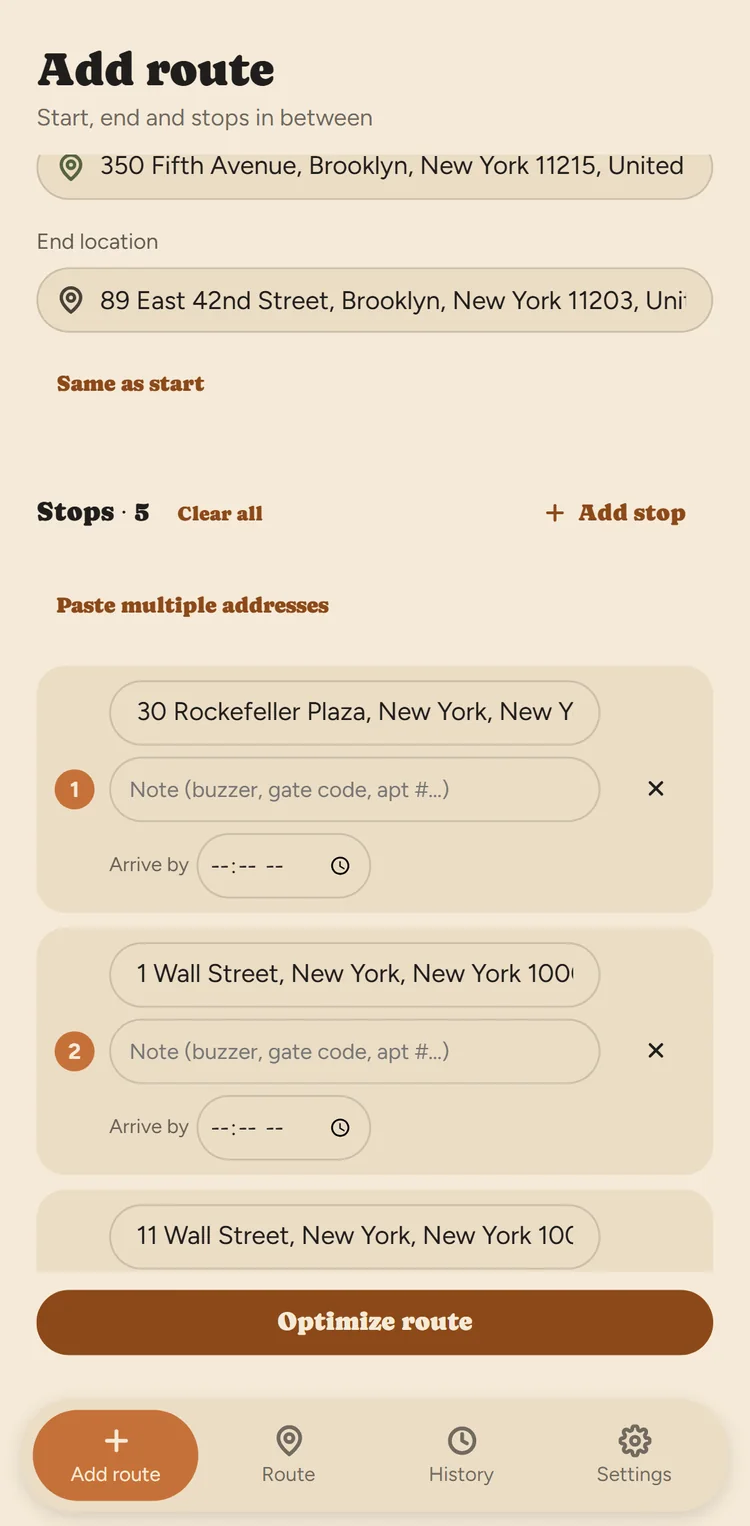
Add your stops
Type them one at a time, paste a whole list, upload a CSV, or snap a photo of a manifest.
Optimize in seconds
Tap Optimize and get the fastest visiting order for every stop instantly.
Drive with your maps app
Navigate stop to stop with Google Maps, Apple Maps, or Waze, whichever you already use.
Track real history
Every finished route logs actual start and finish times, and time spent at each stop.
Type it, paste it, or just take a photo
Most route planners assume you'll type every address by hand. Fix My Route doesn't: paste a whole list at once, upload a CSV from your dispatch system, or photograph a manifest and let AI read the addresses for you.
- Type, paste, CSV, or photo import
- AI reads manifests and app screenshots for you
- Drag to reorder, plus one-tap move to top or bottom
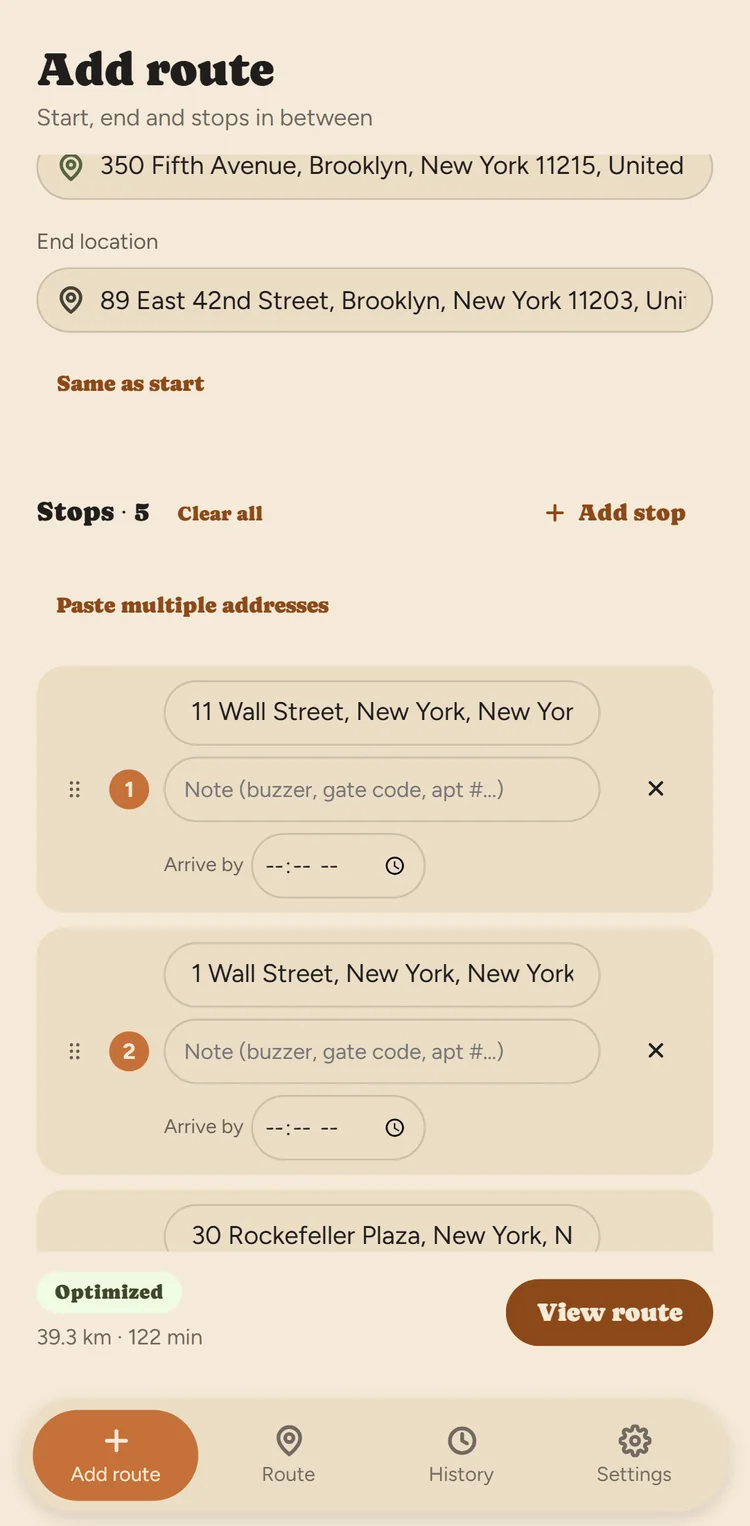
The current stop is always unmistakable
Stops are grouped into color-coded clusters so you always know what's next. Mark each one Arrived, Done, or Skipped in one tap. Skip a stop, and the rest of that cluster re-optimizes automatically.
- Current stop highlighted, impossible to miss
- Large, thumb-friendly Arrived / Done / Skip controls
- Skip a stop and that cluster re-optimizes automatically
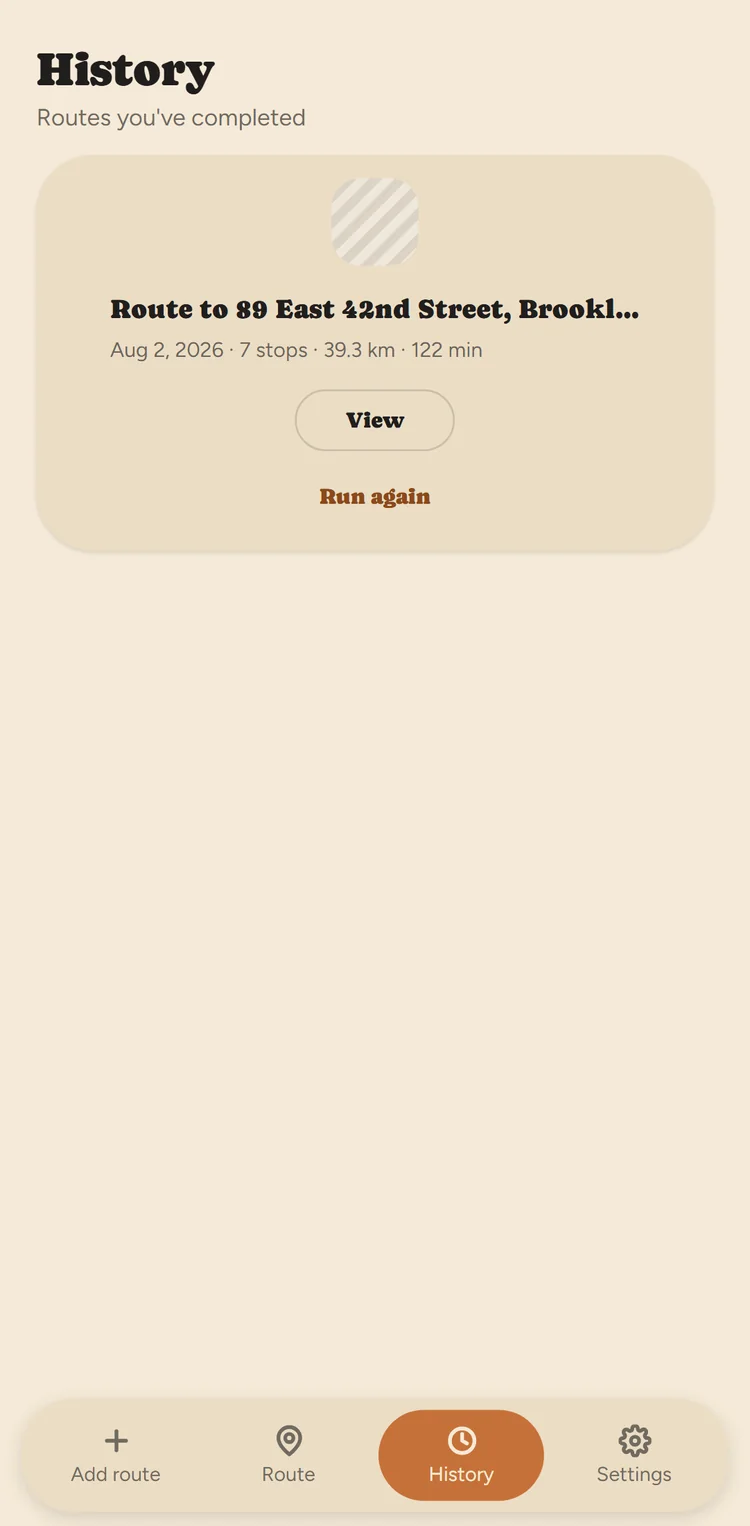
Real history, not guesses
Every finished route is logged with real timestamps, not estimates. See how long each stop actually took, how your day compared to the plan, and re-run a past route in one tap.
- Actual start time, finish time, and per-stop duration
- See exactly how your day went versus the plan
- "Run again" to reuse a route without rebuilding it
Everything a delivery driver actually needs
No dashboards to configure, no desk-first workflow. Just the tools that make a multi-stop day faster.
Multi-stop optimization
Compute the fastest visiting order for every address on your list in seconds, not minutes.
Photo & CSV import
Snap a manifest or upload a spreadsheet, and Fix My Route reads the addresses so you don't have to type them.
Offline-resilient
Keep working with no signal. Every status change syncs automatically the moment you reconnect.
Real route history
Actual timestamps, not estimates. Know exactly how your day went compared to the plan.
Toll, highway & ferry avoidance
Skip tolls, highways, or ferries when it matters for your route or your vehicle. (Pro)
Works with your maps app
Turn-by-turn navigation hands off to Google Maps, Apple Maps, or Waze, whichever you already use.
Designed for a driver, not a desk
Fix My Route is built for a hand that's also on the wheel, a package, or a gate latch. It gets glanced at for a second at a time, not sat down and read.
One-handed, thumb-friendly
Large, bottom-anchored controls for the actions you tap most, so there's no reaching or repositioning your grip.
Built for daylight
High-contrast status colors and icons stay legible in direct sun, not just on a desk indoors.
Offline by design
Elevators, garages, and rural dead zones are normal parts of the job, never a reason to lose your work.
Status you can see, not just read
Done, skipped, and pending states are color- and icon-coded, so they're never ambiguous at a glance.
Start free. Upgrade when you need more.
No trial that expires, no credit card to start. Just a plan that grows with how many stops you run.
Free
$0 forever
Everything you need to try Fix My Route on a real route.
- Up to 12 stops per route
- 10 photo/screenshot imports every 30 days
- Multi-stop route optimization
- Full offline support & auto-sync
- Route history with real timing
Pro
$8.99/month
For drivers and small courier operations running full days.
- Unlimited stops per route
- Unlimited photo/screenshot imports
- Avoid tolls, highways & ferries
- Everything in Free, unlimited
Pricing shown is for the Android app via Google Play; available payment methods may vary by store. Cancel anytime from your account settings.
Questions drivers actually ask
Is Fix My Route free to use?
Yes. The free plan includes up to 12 stops per route and 10 photo or screenshot address imports every 30 days, with no credit card required. Pro ($8.99/month) removes those limits and adds toll, highway, and ferry avoidance.
How does the route optimization work?
Add your stops by typing them, pasting a whole list, uploading a CSV, or taking a photo of a delivery manifest or app screenshot. Tap Optimize and Fix My Route calculates the fastest visiting order in seconds, then you work through the route stop by stop.
Does Fix My Route replace my GPS or maps app?
No. Fix My Route plans the order of your stops; turn-by-turn driving is handed off to whichever maps app you already use: Google Maps, Apple Maps, or Waze.
Does Fix My Route work without a signal?
Yes. You can mark stops Arrived, Done, or Skipped with no connection at all (in an elevator, a parking garage, or a rural dead zone) and everything syncs automatically the moment you're back online. No work is lost.
Can I import addresses from a photo?
Yes. Take a photo of a paper manifest or a screenshot from another app, and Fix My Route reads the addresses for you automatically. Free accounts get 10 imports every 30 days; Pro is unlimited.
What happens if I skip a stop?
The rest of that stop's cluster re-optimizes automatically, so the remainder of your route still makes sense without any manual replanning.
Is Fix My Route available on iPhone?
Yes. Fix My Route is available on both Android (Google Play) and iPhone (Apple App Store), with the same features on each.
What counts as a stop for the free plan limit?
Every address you add to a route beyond the start and end location counts toward the 12-stop free limit. Upgrading to Pro removes the cap entirely.
Ready to fix your route?
Join drivers turning messy address lists into a plan they can actually drive.