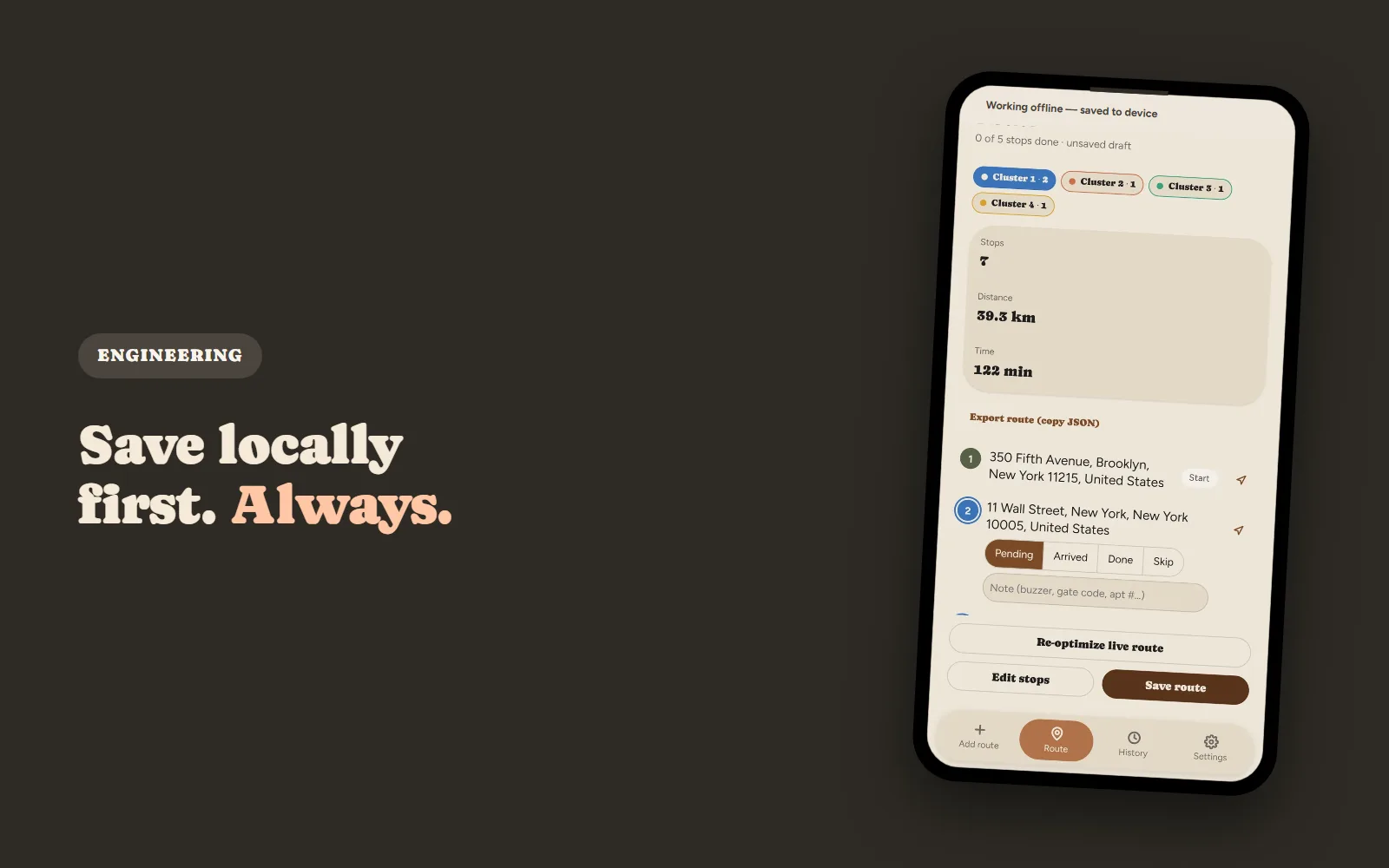
Finish a delivery in a basement with no signal, tap Complete, and watch the entire route vanish from the screen. That's not a hypothetical. It happened to one of our drivers, and it's the kind of failure that only shows up once real people are using an app in the real world, not in a code review.
This is a breakdown of why that happened and the offline-first architecture we rebuilt around it. If you're building anything that has to work in a dead zone, the same failure mode is worth checking for in your own code.
Why Legacy Sync Logic Fails in Dead Zones
Most delivery apps are built around a quiet assumption: the cloud connection works. Progress gets recorded by sending it to a server, and the app treats that request like any other network call, necessary and safe to wait on.
That assumption holds up fine in an office on Wi-Fi. It falls apart the moment a driver walks into a concrete stairwell, an underground garage, or a stretch of road with no coverage. When the sync request fails under those conditions, most apps fail with it, often silently, with no error message and no fallback. The driver just loses the work.
Case Study: The "Disappearing Route" Bug
Here's a real example, pulled from our own delivery feedback log.
A driver finished a delivery inside an elevator with zero signal. When they got back to the route screen, the whole thing looked wiped: every completed stop, gone. It wasn't a rendering glitch. Two separate bugs had combined to actually lose the data.
Bug 1: Cloud-Dependent Local Saves
The app only wrote a finished delivery to local storage after the cloud sync succeeded. That's backwards: it made the local record depend on a network call with no guarantee of working.
Offline, that sync request failed silently, and the local save never happened. The delivery the driver had just completed simply didn't exist anywhere: not on the server, and not on the device.
Bug 2: No Offline Settings Backup
A second, unrelated bug compounded it. Basic preferences, like which maps app to use for navigation, were stored only in the cloud with no local cache.
If sign-in happened on a weak connection, those settings silently reset to defaults for the rest of the session. Small on its own, but it meant a driver could lose both their progress and their preferences from the same root cause: treating the network as reliable when it isn't.
The Offline-First Sync Architecture
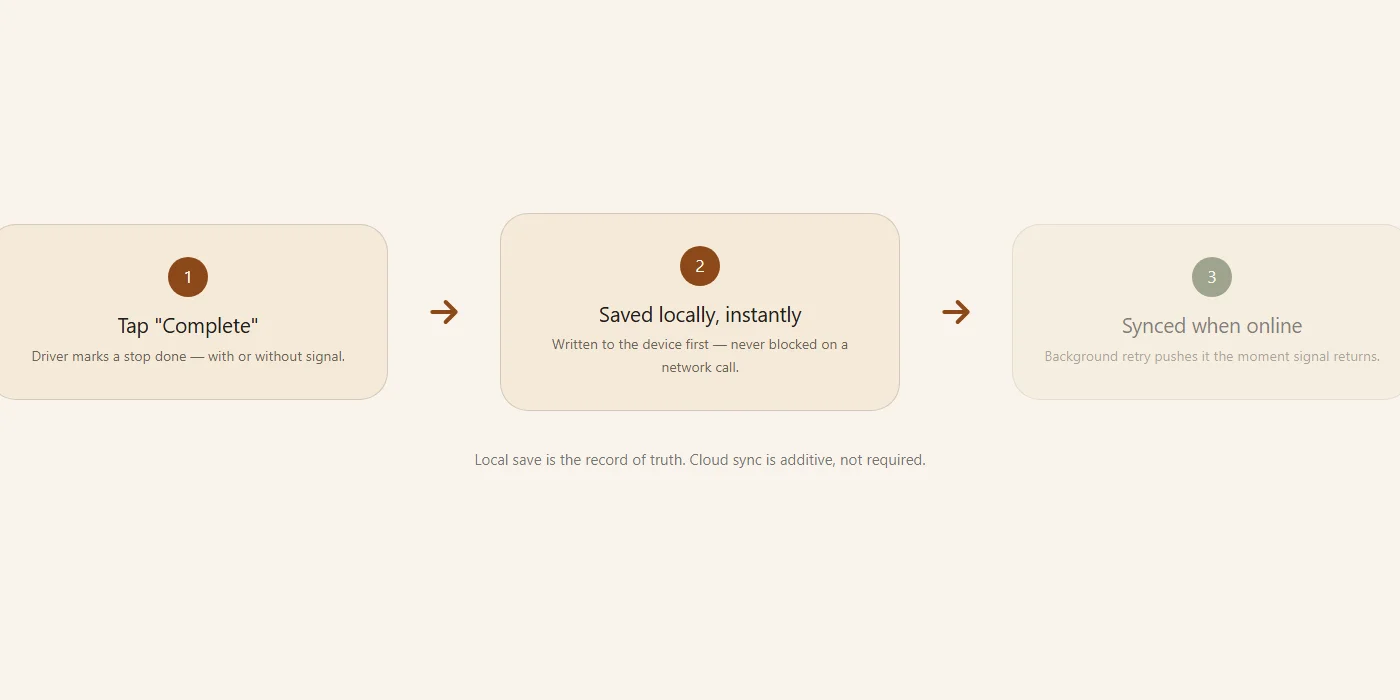
Fixing this meant reversing the order of operations. Instead of syncing first and saving second, the app now does the opposite: the local save is unconditional, and the sync is not.
Step 1: Save Everything Locally First
Every completed stop gets written to the device the instant it's marked done. No network call has to succeed first, and none is even attempted before the save happens.
This is the part that actually fixes the elevator scenario. The record exists locally and permanently, regardless of what the network is doing.
Step 2: Layer Cloud Sync on Top
The cloud sync still happens. It's just no longer a precondition for anything, running as a background write that's additive to the local record rather than required for it to exist.
If it fails, nothing is lost. The local data is already safe; the sync just hasn't caught up yet.
Step 3: Automate Background Retries
Dead zones are temporary by definition. The fix only works end-to-end if the app notices when signal comes back and retries automatically, rather than waiting for the driver to do something about it.
We built this as a small queue of pending writes, checked on every reconnect. It's not a general write-ahead system, since the actual number of things that can go stale this way is small and well understood.
Fixing the Offline User Experience
Getting the data right was half the problem. The other half was how the app talked to the driver while it was happening.
A dropped signal in an elevator is a completely normal event. Most apps still treat it like an emergency: a red banner, an alarming error code, sometimes a blocking dialog. That reaction doesn't fit what's actually a routine, expected condition.
Step 4: Use Calm Status Banners
We replaced the error state with a plain, muted banner, gray instead of red, with copy that says exactly what's true: working offline, progress saved to device. No alarm styling, no action required from the driver.
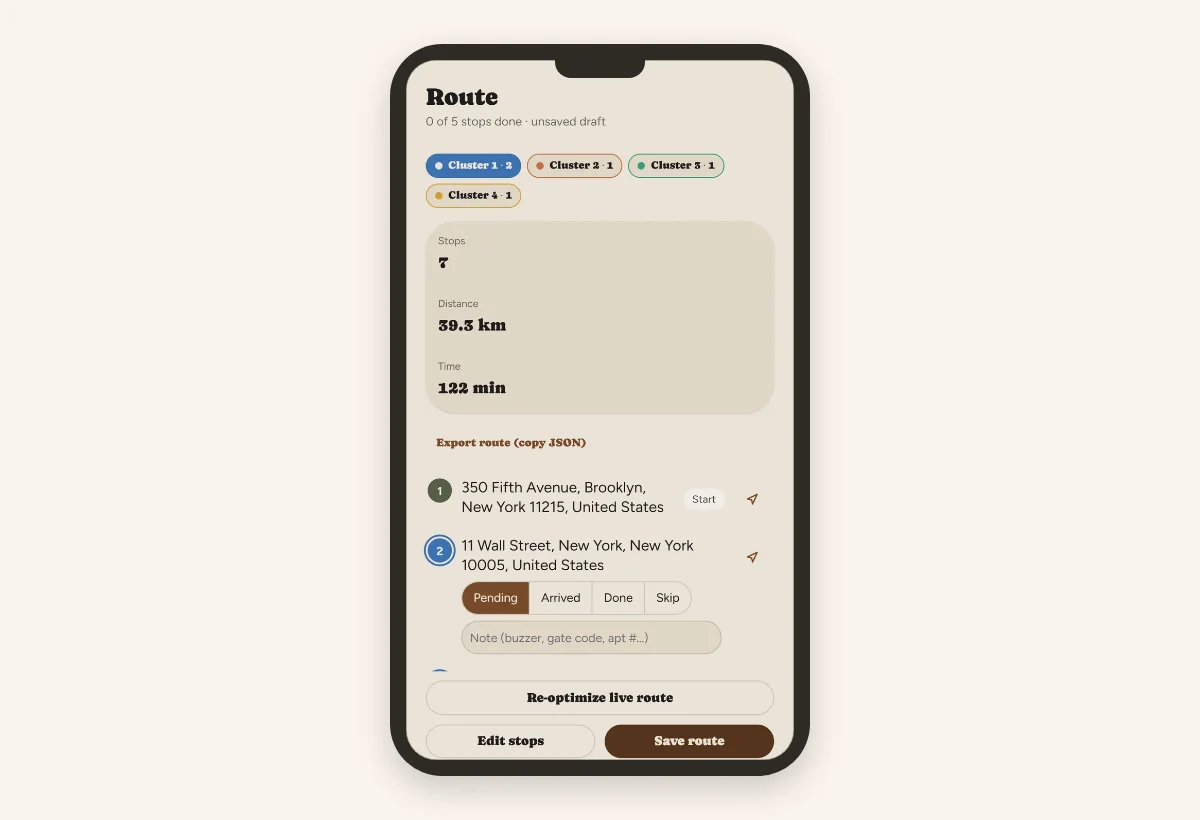
The goal is for a driver to glance at it, understand instantly that nothing is wrong, and keep working.
The Real-World Impact
We shipped this architecture across the app's completion flow, preference storage, and reconnect handling. Since then, a completed delivery can't disappear because of a dead zone. The local save happens before the network is even in the picture, so there's nothing left for a bad connection to break.
We haven't run a formal before-and-after study on this, so we won't hand you a percentage that doesn't exist. What we can say directly: the specific failure mode that started this investigation (an elevator, a completed stop, a route that looked wiped) no longer happens, because the bug that caused it is gone.
Why Testing Must Happen on the Road
None of these bugs showed up in a standard code review. They're not really visible until an app is used the way it's actually going to be used, which means someone walking into a real elevator, not a network-throttling toggle in a browser dev panel.
Synthetic network simulators are useful, but they model failure as an abstraction, a flag that flips off and back on. They don't reproduce the specific conditions a real dead zone creates: GPS drift, the app backgrounding, a sign-in interrupted mid-handoff. If you're building for field use, treat actual field sessions as part of your test suite, not an afterthought to it.
Conclusion
Offline-first isn't an edge case for a delivery app. It's close to the default operating condition. Save locally first, treat the network as optional, and design the UI to stay calm when it's doing exactly what dead zones normally do.
If your app has a step where the local record depends on a successful network call, that's worth auditing before it turns into someone's disappearing route.
Fix My Route Team
We build route-optimization software for delivery drivers and couriers, and write about the planning and engineering problems that come up running real multi-stop days.
Keep reading
Why Your Delivery Route Falls Apart After the First Skipped Stop
Why a manually-planned route doesn't "self-heal," and what real-time re-optimization actually means.
How to Plan a Multi-Stop Delivery Route (Without Losing Half Your Day)
A practical, step-by-step approach to sequencing ten-plus stops.